Categories
Programming

Automating PaintScratch’s Shopify Theme Updates with AI: A Solo Developer’s Workflow

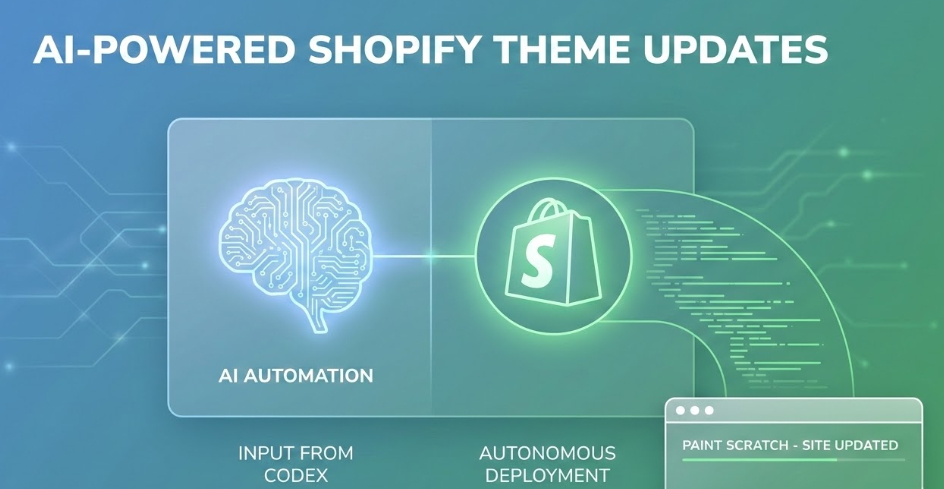
As a solo developer running PaintScratch, managing our Shopify store’s frontend alongside everything else can be a massive time sink. To speed up development and deployment, I’ve been refining a hands-off, AI-driven workflow that actually writes, tests, and deploys code for me.

If you’re curious about how AI can practically speed up real-world e-commerce development, I recorded a behind-the-scenes look at my exact process.

How the Workflow Actually Works

In the video, I walk through a real UI/UX update for the site. Instead of manually digging into Shopify’s Liquid files and CSS, here is how I pass the heavy lifting off to AI:

  • Step 1: Planning with ChatGPT. I take the design feedback and screenshots, feed them into ChatGPT, and ask it to generate a strict implementation plan. I review it to make sure the logic is sound.
  • Step 2: Autonomous Coding with Codex. I pass that plan into the Codex desktop app for Windows. From there, Codex takes over. It pulls from my GitHub development branch, makes the necessary code changes, and commits them.
  • Step 3: Automated Browser Testing. This is where it gets really useful. Codex uses a Playwright headless browser to visually inspect its own work on a live development server. (I use a Cloudflare routing system so that my dev environment automatically previews my active Shopify development branch).
  • Step 4: The Iterative Loop. If Codex sees that the UI doesn’t match the plan, it goes back, edits the code, pushes again, and re-checks the browser. It iterates autonomously until it’s ready for my final human review.
  • Step 5: Merging to Production. Once I review the final pull request and approve the visual changes, I merge it, and the updates go live on PaintScratch.

It’s not 100% perfect yet—there is still a “human-in-the-loop” element required to catch minor spacing or color issues—but it completely changes the speed at which I can ship updates to the store.

Categories
Programming

Making Database Queries More Secure with PDO

Part of the work I do here is building custom web applications that users can interact with. A recent one is a simple feedback form that enables visitors to a client’s website to send quick suggestions. It looks like this:

suggestions comments


Once someone enters their suggestion and clicks “Send,” I use Jquery and Ajax to submit the message to a PHP script which then processes the message, saves it to a MySQL database for later review, and emails it to my client. In just a few weeks, my client has received hundreds of highly valuable and actionable suggestions ranging from praise to notices about serious bugs.

Whenever you allow visitors to submit text through your website, security is a concern that must be dealt with. If you simply grab the message the user submits and send it to your database as-is, you leave an open door to SQL injection where a malicious user can include tricky code in their message that makes your database do nasty things.

Enter PHP Data Objects (PDO) and Prepared Statements. The beauty of these is that malicious visitors can include all the nasty tricky code they want in their message, but the database will never try to execute it because the message is kept completely separate from the commands. The best plain English explanation I’ve seen comes from an answer to a stackoverflow.com question and reads as follows:

When a query is sent to a data base, it’s typically sent as a string. The db engine will try to parse the string and separate the data from the instructions, relying on quote marks and syntax. So if you send “SELECT * WHERE ‘user submitted data’ EQUALS ‘table row name’, the engine will be able to parse the instruction.

If you allow a user to enter what will be sent inside ‘user submitted data’, then they can include in this something like ‘…”OR IF 1=1 ERASE DATABASE’. The db engine will have trouble parsing this and will take the above as an instruction rather than a meaningless string.

The way PDO works is that it sends separately the instruction (prepare(“INSERT INTO …)) and the data. The data is sent separately, clearly understood as being data and data only. The db engine doesn’t even try to analyze the content of the data string to see if it contains instructions, and any potentially damaging code snipet is not considered.

So great, you are thinking, if I use this complicated PDO thing with database queries I can make my website really secure and no longer have to use a bunch of cumbersome data sanitizers. Thats exactly where I was not long ago, but then I found a great series of videos on YouTube that showed exactly how it all works. The only gripe I had with the series is that it was hard to figure out which order to view them in, so with that in mind, here they are in order: